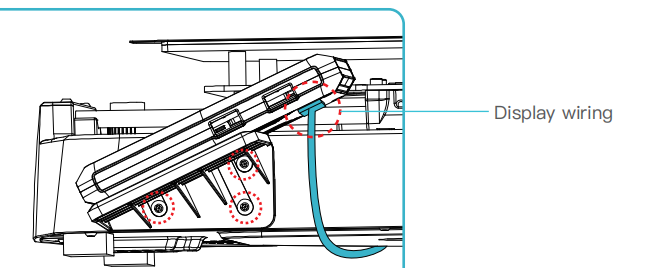
Ender 3 V 3 Screen Trouble Shooting
Use when the Ender 3 v3 screen is not powering on when there are other signs of power
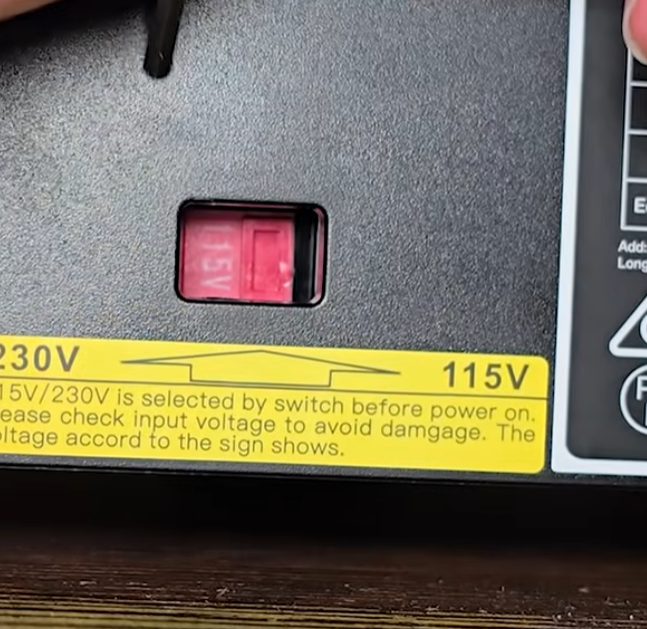
The first thing to double-check is that the power supply is set to 115v if based in the US
Power the machine down and reseat (remove and reinstall) the connection on the screen itself. It should give a good, positive click; here is a timestamped video demonstrating this process.
After reseating the cables, power back on to test.
If this does not work, we need to check the motherboard side connection of the screen cable.
Power off, remove the power cord, and place the machine on its side (make sure to put it on the side opposite the screen side)
The bottom panel has 8 screws and a cable retention clip through it, so do be mindful of that. Accessing the motherboard is shown in this video
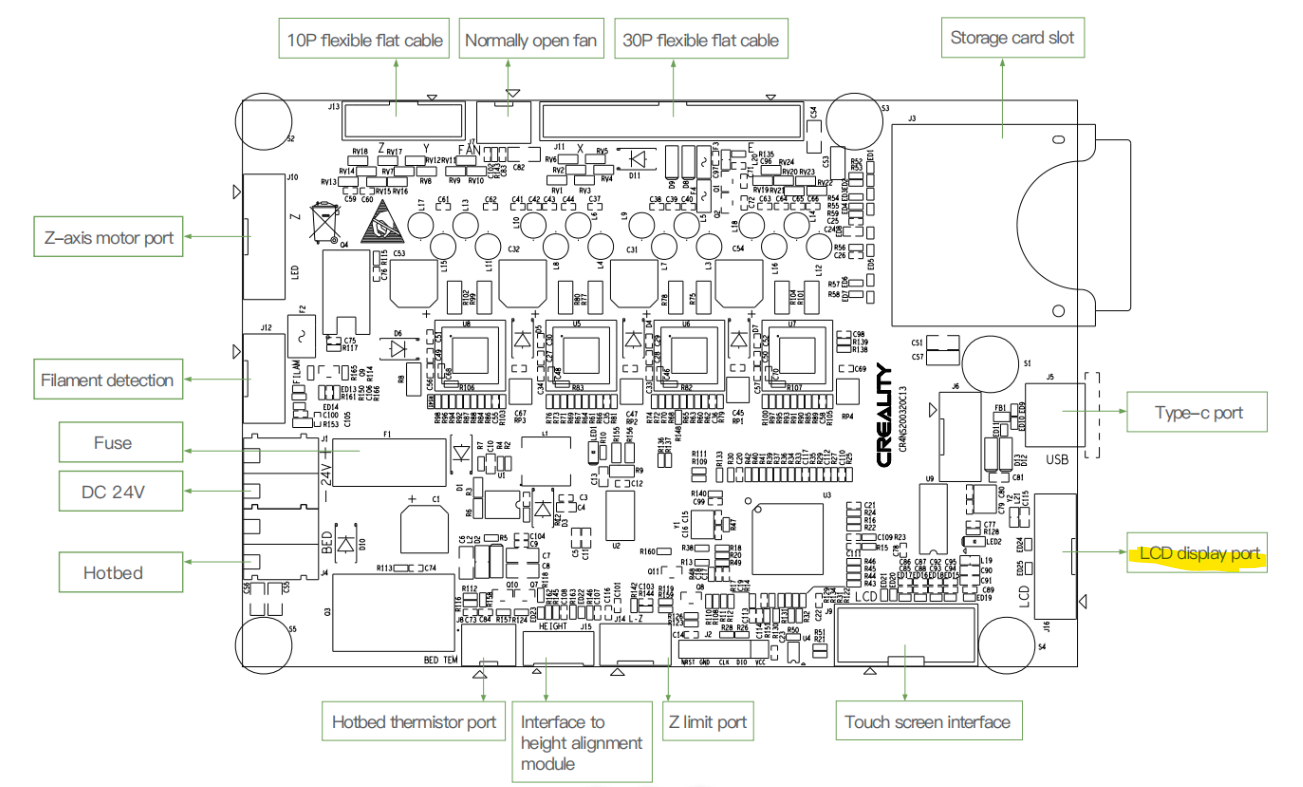
The motherboard screen cable is across from the SD card slot
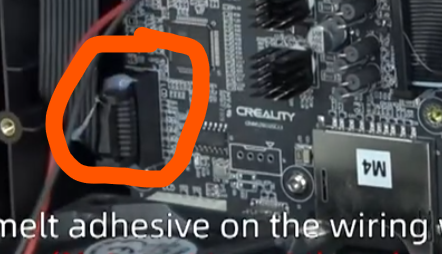
Peeling the glue off can be done with flush cutters or tweezers, as shown in the video.
After that, reseat the cable on the mainboard. Before securing the bottom panel, place the machine back on its feet and power up.
If the screen still does not work, we will need to capture a short video of the motherboard lights while the printer is receiving power. This will tell us if the issue is isolated to the screen and cable or the motherboard.
To do this, you will need to first remove the fan as well as the screen body. Because you will need to have the machine rest on the opposite side of the power cord, removing the screen assembly and cable will be necessary